
In 2026, the Mac mini is available with two new chips: M6 and M5 Pro. The M6 is already a powerful desktop Mac for most people. The M5 Pro is aimed at anyone whose work regularly calls for more computing power, memory or fast ports. A used Mac mini M4 or M4 Pro can also be an economically attractive choice. Which model suits you mainly depends on your programs and the specifications you need.
The short answer
Mac mini M6: a good choice for everyday use, office work, programming and many creative tasks.
Mac mini M5 Pro: worthwhile for demanding video, 3D, development and local AI projects.
Used Mac mini M4 or M4 Pro: particularly interesting if you get more RAM or SSD storage at an attractive price.
Mac mini M6 and M5 Pro: the key differences
Both current models use the compact Mac mini enclosure and support up to three displays. The differences lie in the chip, available memory, SSD options and rear Thunderbolt ports. The table shows the respective entry-level configuration.
| Feature | Mac mini M6 | Mac mini M5 Pro |
|---|---|---|
| CPU / GPU | 12-Core / 12-Core | 15-Core / 16-Core |
| Memory | 16 GB | 24 GB |
| Maximum memory | 32 GB | 64 GB |
| Internal SSD | 256 GB | 512 GB |
| Maximum internal SSD | 2 TB | 8 TB |
| Rear ports | 3 × Thunderbolt 4 | 3 × Thunderbolt 5 |
| Ethernet | 2.5 Gbit/s; 10 Gbit/s optional | 2.5 Gbit/s; 10 Gbit/s optional |
| Apple launch price* | 1.049 € | 1.999 € |
*German entry-level prices published by Apple at launch, including VAT. Configurations and current selling prices may differ. Technical specifications: Apple – Mac mini.
View the current models on Amazon
Mac mini M6
12-core CPU, 12-core GPU, 16 GB RAM and 256 GB SSD
Mac mini M5 Pro
15-core CPU, 16-core GPU, 24 GB RAM and 512 GB SSD
View Mac mini M5 Pro on Amazon
Advertising · The Amazon links are affiliate links. We may receive a commission if you make a purchase. There is no additional cost to you.
How much performance do you really need?
Office, internet, studying and everyday use
For email, many browser tabs, spreadsheets, video conferences and everyday image editing, the M6 is more than sufficient. If these are your main tasks, paying extra for the M5 Pro usually brings little benefit. A suitably configured Mac mini M4 can also be a good choice here.
If you regularly use many programs at once, pay particular attention to memory. We explain in detail which specifications make sense for everyday use and a longer useful life in “How much RAM does a Mac need?”.
Photos and graphics
For managing and editing images in typical photography workflows, the M6 is a good starting point. Large RAW libraries, extensive files with many layers and several creative applications open at once mainly benefit from more RAM and sufficient storage. The M5 Pro becomes more interesting if very large projects or complex effects are part of your everyday work.
If photography is your main use, also read our Mac buying guide for photo editing.
Video editing and 3D
The M6 is suitable for many video editing projects. For long timelines, numerous effects or frequent rendering, the M5 Pro is more worthwhile. Its stronger CPU and GPU, higher memory bandwidth and option for more RAM give demanding projects more headroom.
A used M4 Pro should also be included in this comparison. It already offers Thunderbolt 5 and is available with plenty of memory, depending on the configuration. What matters is the price of the specific device with its RAM and SSD specifications.
Programming and development
For web development, typical development environments and smaller projects, the M6 is a strong choice. If you run many containers, simulators, virtual machines or extensive builds in parallel, RAM and additional CPU performance become more important. You should then compare the M5 Pro with well-equipped M4 Pro offers.
Local AI models
For local AI applications, unified memory is particularly important: the model and other running programs must fit into it. The M6 is suitable for getting started and for smaller models. For larger models and more complex workflows, the M5 Pro or an M4 Pro with 48 or 64 GB RAM are more interesting. The model size you can actually use also depends on quantization, context window and software.
You can find detailed device advice in “Which Mac is suitable for AI? The comprehensive buying guide 2026”.
RAM and SSD: often the deciding factors in a better purchase
The M6 starts with 16 GB unified memory and a 256 GB SSD. This is sufficient for many everyday tasks, but 256 GB can quickly become tight with photos, videos and large programs. The M5 Pro starts with 24 GB RAM and a 512 GB SSD. For a fair price comparison, you should therefore compare models with the specifications you actually need.
- 16 GB RAM: suitable for everyday use, office work and many normal applications.
- 24 to 32 GB RAM: more headroom for concurrent programs and larger photography and development projects.
- 48 to 64 GB RAM: interesting for larger local AI models, virtual machines and particularly demanding creative projects.
- 256 to 512 GB SSD: practical if large collections of data are stored externally or on the network.
- 1 TB or more: convenient for extensive local projects and media libraries.
With Apple Silicon models, you should choose the right amount of memory when buying. Our Mac RAM guide helps you find a suitable capacity for your programs.
Internal SSD or external storage?
Sufficient internal storage is convenient for programs and frequently used projects. You can also store large photo archives, video files and other data on an external SSD. If you need several terabytes, our article “Expand Mac storage: 4 TB & 8 TB SSD” explains the options in detail.
Looking for a specific, compact SSD for projects, photos or a backup? Take a look at our five recommendations for external Mac SSDs.
Thunderbolt 4 or Thunderbolt 5: does it make a difference?
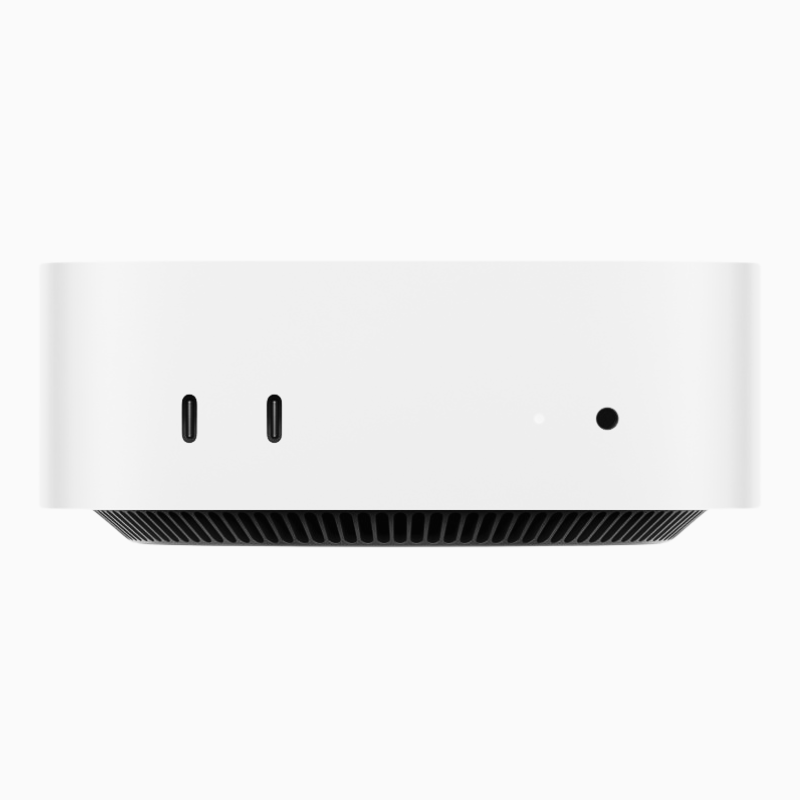
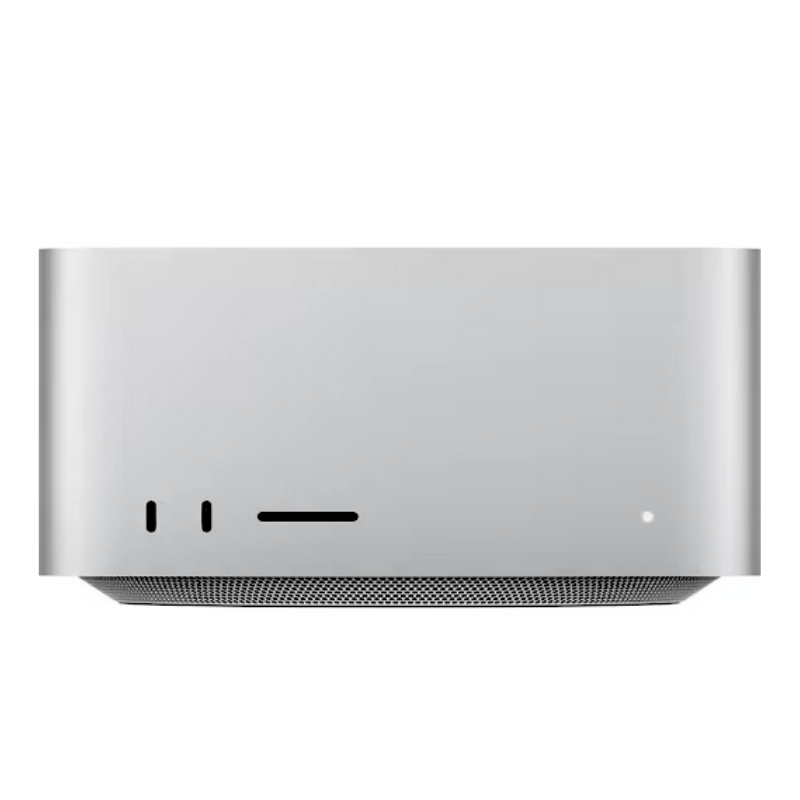
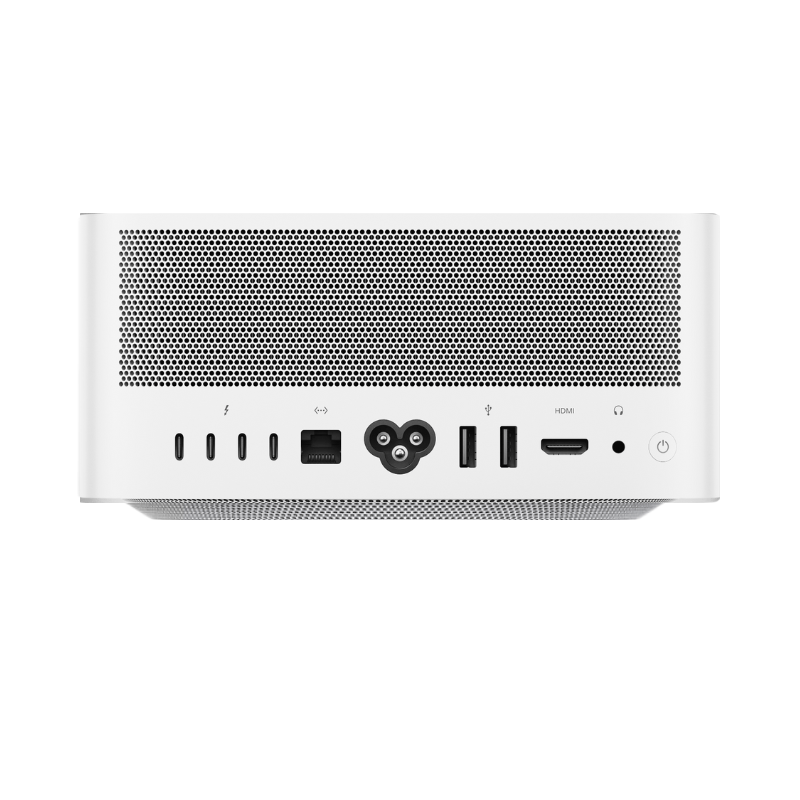
The Mac mini M6 has three Thunderbolt 4 ports at the back, while the M5 Pro has three Thunderbolt 5 ports. Both also have two USB-C ports and a headphone jack at the front, plus HDMI and Ethernet at the back.
Thunderbolt 4 is sufficient for a monitor, keyboard, mouse and many external SSDs. Thunderbolt 5 mainly becomes relevant when you work with suitably fast external drives, powerful docks or demanding display configurations. The achievable speed also depends on the drive, enclosure and cable.
Important when comparing used models: the Mac mini M4 Pro already offers Thunderbolt 5. The standard M4 has Thunderbolt 4. We show you how to choose an external SSD for your use in the SSD guide.
Mac mini M6 or a used M4: when is the older model worthwhile?
A newer chip does not automatically make a better purchase. A used Mac mini M4 with 24 GB RAM and a larger SSD may be more useful for your work than a new entry-level M6 with 16 GB and 256 GB. Conversely, the M6 may be the better choice if prices are close and you prefer the new generation.
Check these four points when comparing:
- Memory: Is it enough for your future programs too?
- SSD: How much internal storage do you actually need?
- Ports: Do you need Thunderbolt 5 or a particular Ethernet specification?
- Total price: Compare devices with specifications that are as similar as possible.
At mac-store24, you will find available used and refurbished Mac mini models, including M4 and M4 Pro depending on stock. Specifications and availability are listed in each offer.
Mac mini M5 Pro or a used M4 Pro?
The M5 Pro is the current Pro model. Its entry-level version offers a 15-core CPU, a 16-core GPU, 24 GB RAM and a 512 GB SSD; other configurations are available. The M4 Pro remains a serious alternative, especially as a used device with plenty of RAM or a larger SSD.
An M4 Pro with 48 or 64 GB RAM may make more sense for a memory-intensive project than an M5 Pro with 24 GB. If you want as much current computing power as possible with comparable specifications, the M5 Pro is the stronger case. Both models have Thunderbolt 5 at the back.
When should you choose a Mac Studio instead of a Mac mini?
If you regularly work on very large 3D projects, complex video workflows or particularly memory-hungry local AI models, you should also consider the Mac Studio. A Mac mini with a Pro chip is sufficient for many professional tasks; beyond that, additional performance and memory headroom can be decisive. We explain the differences in the “Mac mini or Mac Studio?” comparison.
Our recommendation by application
| Your use | First consider | What to look out for |
|---|---|---|
| Everyday use and office work | M6 or a used M4 | Price, RAM and SSD |
| Photos and design | M6 with more RAM; used M4 Pro | Project size and storage needs |
| Demanding video editing and 3D | M5 Pro or a used M4 Pro | RAM, GPU and external drives |
| Development with many concurrent tools | M6 with more RAM; Pro model under heavy load | Containers, simulators and builds |
| Larger local AI models | M5 Pro or M4 Pro with plenty of RAM | Required unified memory |
Conclusion: the best Mac mini is the one with the right specifications
For most buyers, the Mac mini M6 is the natural entry point to the current generation. The M5 Pro is worthwhile if your work regularly requires more computing power, up to 64 GB RAM or Thunderbolt 5. A used M4 or M4 Pro can be particularly attractive if you get more memory or SSD capacity for the same budget.
First define your requirements for RAM, SSD and ports. Then compare prices for the configurations that actually meet them.
Discover used and refurbished Mac mini models
Frequently asked questions
Is the Mac mini M6 faster than the M4 Pro?
There is no blanket answer for every task. Chip class, memory, graphics load and the software used all affect the result. For demanding concurrent tasks, an M4 Pro may still be the better fit. Where possible, compare tests of your specific programs and the specifications of the devices on offer.
Is 16 GB RAM enough for the Mac mini M6?
For office work, internet use and many everyday applications, yes. For large creative projects, many concurrent development tools or local AI models, you should plan for more memory. Our article “How much RAM does a Mac need?” provides guidance by application.
Do I need Thunderbolt 5 for an external SSD?
Not for most external SSDs. Thunderbolt 5 is mainly worthwhile if the drive, enclosure and your workflow actually make use of the higher potential transfer speeds. You can find an introduction to suitable drives in our recommendations for external Mac SSDs.
Can I supplement internal storage with an external SSD?
Yes. An external SSD is a practical solution for projects, photos and other large files. For a backup, you should still plan for a separate backup drive. We explain setup in “Back up your Mac properly: Time Machine backup explained simply”.
Useful guides for your decision
- How much RAM does a Mac need? – the right memory specifications for your programs.
- Expand Mac storage: 4 TB & 8 TB SSD – large external storage capacities for your setup.
- External SSD for Mac: 5 recommendations – drives for photos, projects and backups.
- Mac mini or Mac Studio? – if you are deciding between these two desktop Macs.
- Which Mac is suitable for AI? – models and RAM for local AI applications.
- Set up a new Mac properly – the most important settings after purchase.



Share:
The best headphones for Mac, iPad & iPhone 2026: 6 recommendations compared
Which Mac for video editing in 2026? Buying advice