

For office work, photography, programming and many 4K video projects, a suitably configured Mac mini is a good choice. A Mac Studio makes sense for sustained GPU workloads, large projects or memory needs beyond the specific Mac mini's capabilities. Compare chip generation, unified memory and SSD capacity, rather than choosing by product name alone.
This comparison explains which Mac best suits your needs, when paying extra for a Mac Studio is worthwhile and why a well-equipped Mac mini may already be the more sensible choice for many users.
- Mac mini: the best choice for strong value for money, Office, programming, photo editing and many everyday tasks.
- Mac Studio: worthwhile for high sustained workloads, large projects, plenty of unified memory, demanding video editing, 3D, local AI and professional productions.
- What matters: the chip, memory, SSD and your actual workflow determine which Mac is better, rather than the model name alone.
Compare Mac mini and Mac Studio fairly
Compare the exact chip variant, RAM and SSD first, then ports, displays and software requirements. A Mac mini M4 Pro can be configured with up to 64 GB: 64 GB alone is therefore no reason to buy a Mac Studio. Extra GPU power or bandwidth is worthwhile when your daily workflow benefits.
Include a monitor, keyboard, mouse, adapters and any dock in the total budget. Check exports or real projects using the same software version if performance determines the purchase. The shop configurations below are examples, not a ranking based on our own benchmarks.
Specific devices instead of general RAM limits
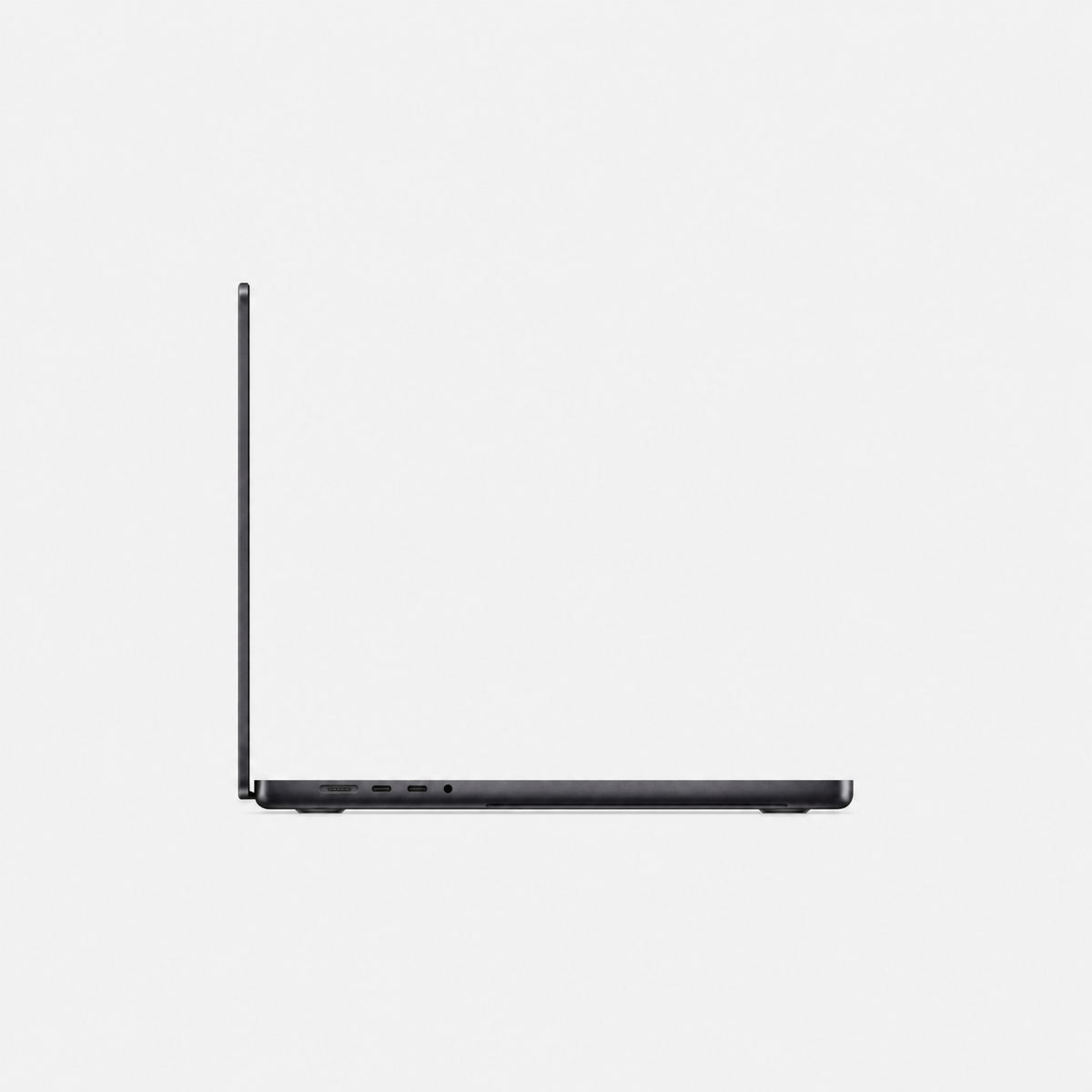
Configuration examples checked on 25 October 2026. See each product page for price, condition and current availability. For MacBook Pro, select RAM, SSD and keyboard layout.
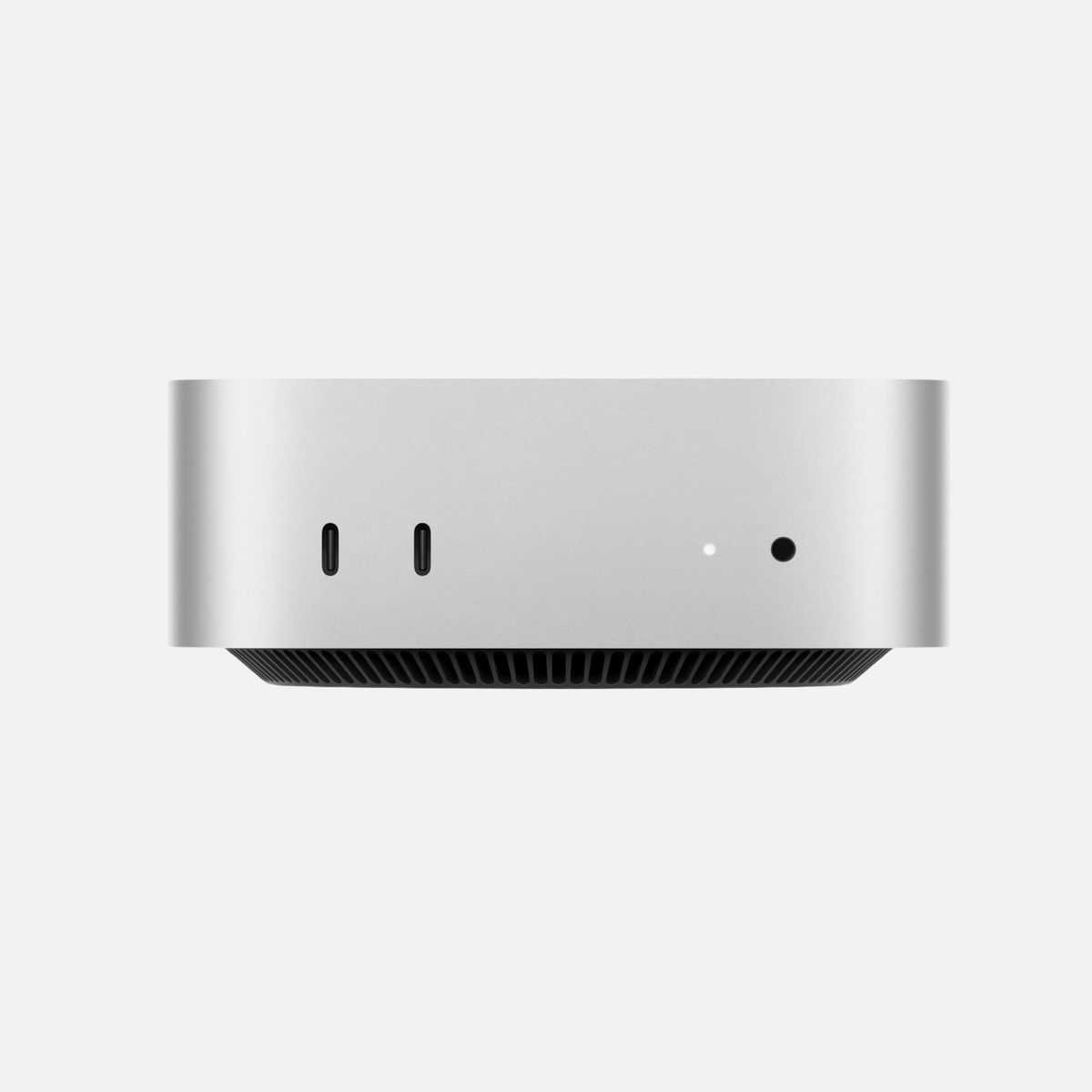
- Mac mini M4 Pro · 24 GB / 512 GB SSD
- Mac Studio M4 Max · 64 GB / 1 TB SSD
- Mac Studio M3 Ultra · 96 GB / 2 TB SSD
Mac mini and Mac Studio at a glance
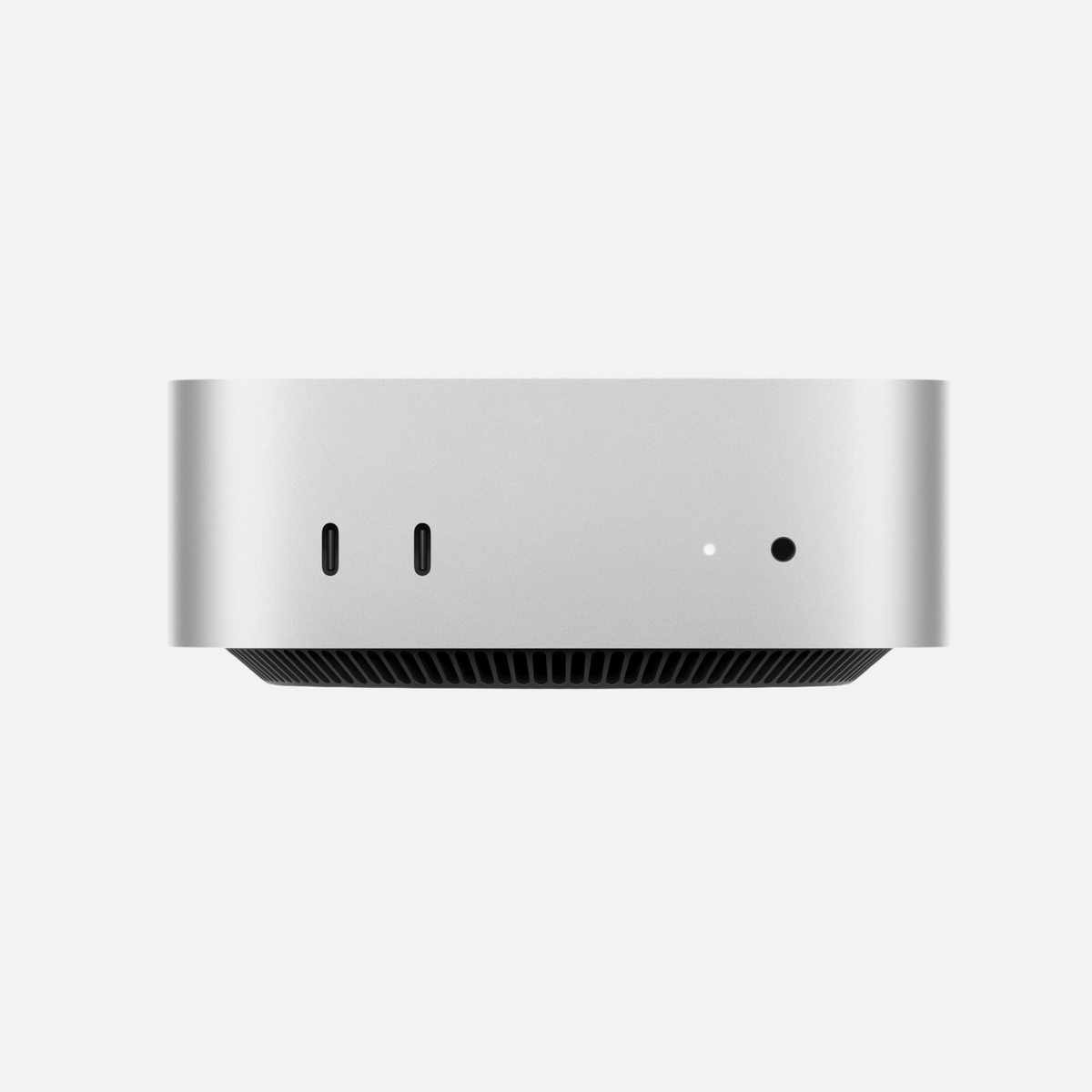
The Mac mini is Apple’s compact desktop computer for a broad audience. It is suitable for office work, working from home, studying, software development, music production, and photo and video editing. More powerful variants with a Pro chip can also handle more demanding tasks.
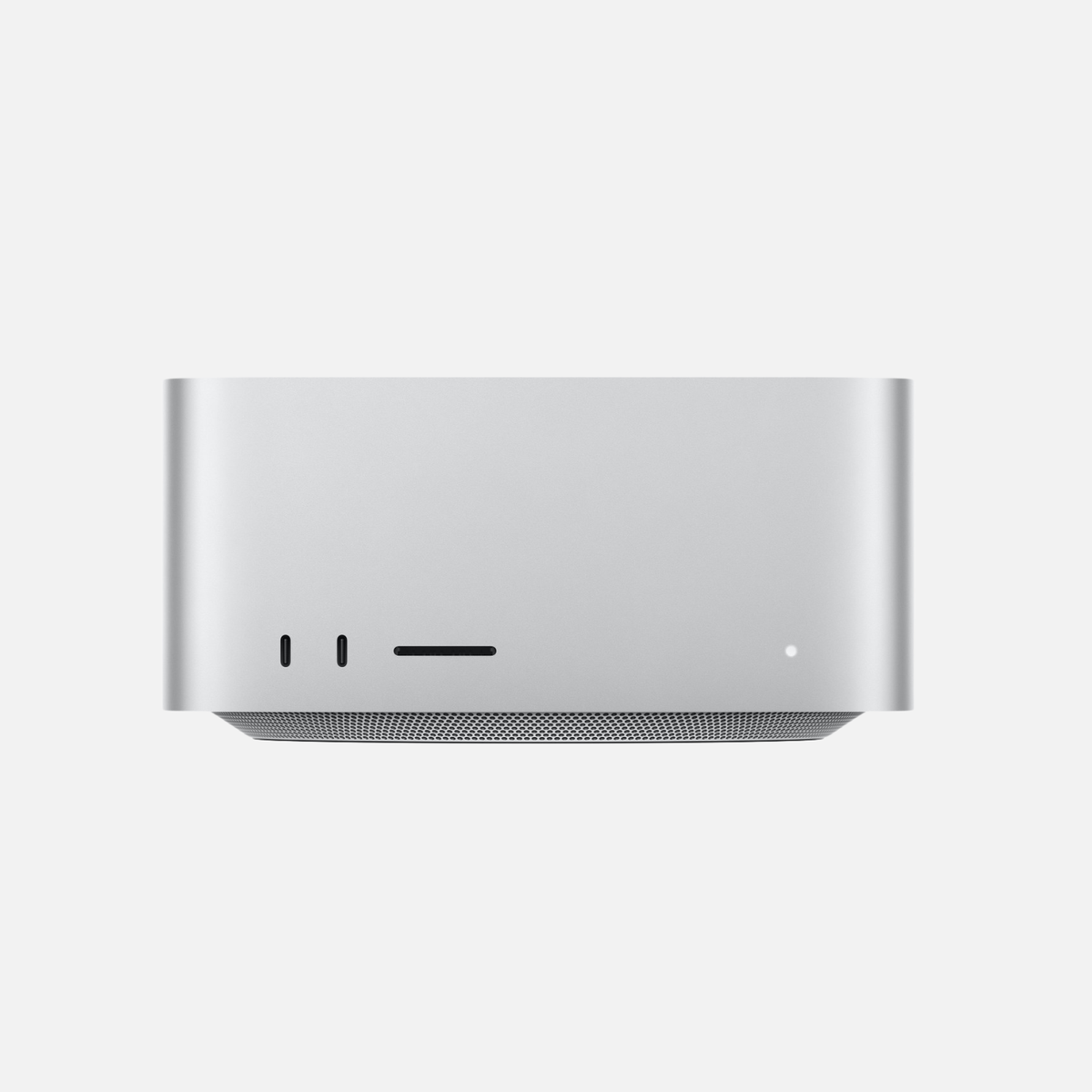
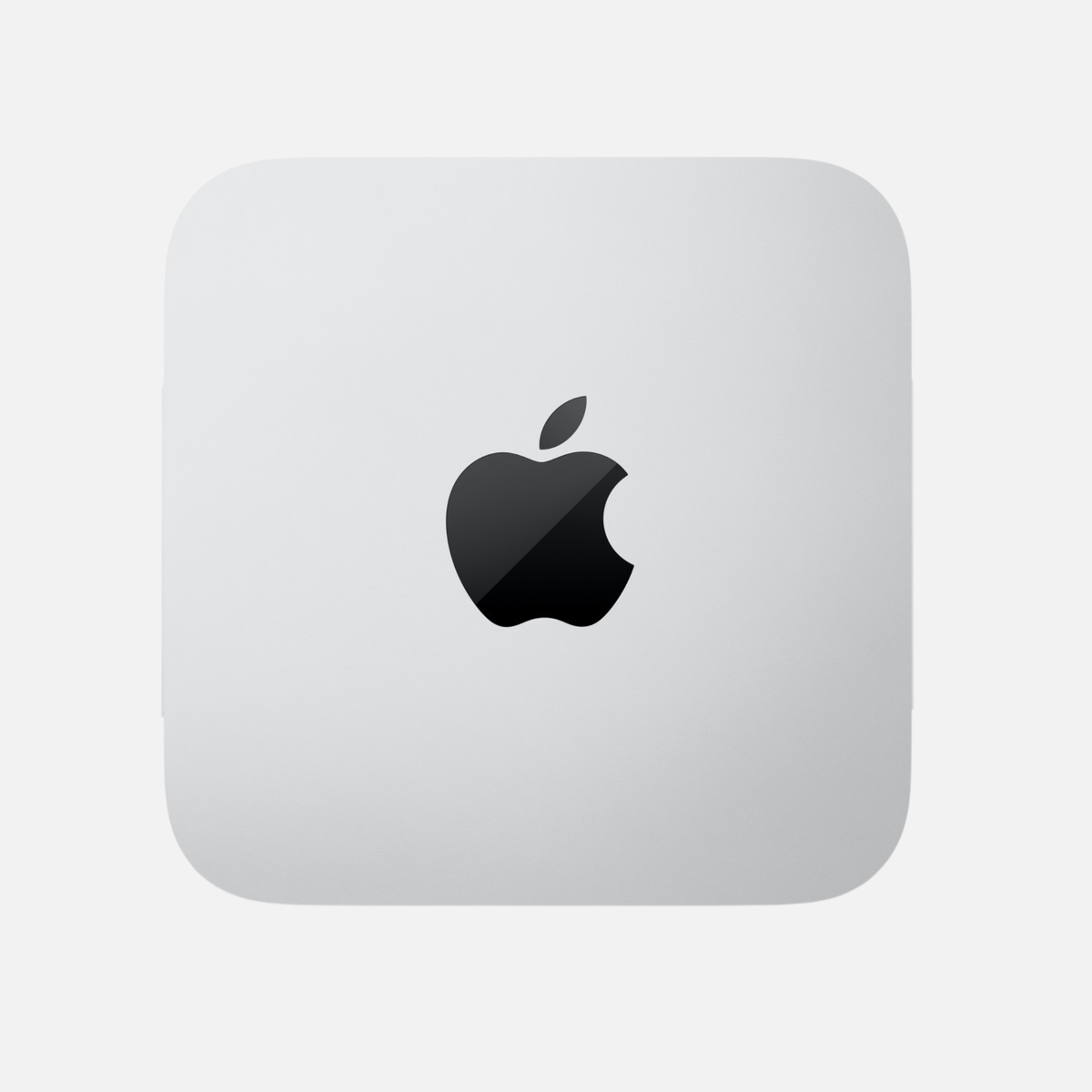
The Mac Studio is larger, has more powerful cooling and is designed for professional requirements. Depending on its generation, it is available with Max or Ultra chips. These provide more GPU performance, higher memory bandwidth and significantly larger memory configurations.
| Criterion | Mac mini | Mac Studio |
|---|---|---|
| Basic concept | Compact and affordable desktop Mac | Compact workstation for professional applications |
| Typical chips | Base and Pro chips, depending on the generation | Max and Ultra chips, depending on the generation |
| Unified memory | For everyday to demanding use, depending on the model | Very large memory configurations also available |
| GPU performance | Good to very good | Very high to extremely high |
| Cooling | Compact and efficient | Designed for sustained high workloads |
| Price | Significantly more affordable entry point | Higher starting price |
| Ideal for | Everyday tasks, office work, development, photography and many creative tasks | Professional video, 3D, local AI, large projects and sustained workloads |
Direct comparison
Two desktop Macs, two clear strengths
The Mac mini excels in efficiency and value for money. The Mac Studio offers significantly more headroom for professional workflows.
Mac mini
The sensible choice for most users.
Ideal for: Office, studying, development, music, photography and many 4K projects
Strength: excellent value for money
Choose it if: you want compact performance without unnecessary headroom.
Mac Studio
More performance for professional sustained workloads.
Ideal for: video, 3D, large music projects, local AI and demanding productions
Strength: high GPU performance, plenty of unified memory and better sustained performance
Choose it if: additional performance regularly saves you time.
What are the key differences?
The Mac mini focuses on value for money
The Mac mini’s greatest advantage is its balance of price, performance and footprint. You get a fully featured Apple Silicon Mac in a very small casing and can choose your own monitor, keyboard and mouse. For users who already own accessories, this is often significantly more economical than an all-in-one system.
The Mac mini is also often used professionally: as a development computer, office workstation, server for certain tasks, music computer or compact editing station. The Pro variants close part of the gap to the Mac Studio.
The Mac Studio provides more headroom
The Mac Studio is more than simply a faster Mac mini. Above all, it provides greater performance reserves for long-running and highly parallel tasks. These include demanding video exports, complex 3D scenes, large music projects, local language models or several professional applications running simultaneously.
Its larger casing allows more sophisticated cooling. Depending on the model, significantly larger memory options and more ports are also available. However, the extra cost is only worthwhile if your workflow actually uses these advantages.
Everyday performance and sustained workloads
A current Mac mini already feels very fast in normal tasks. Browsers, Office, accounting, inventory management, video conferencing, image management and programming generally pose no problem for modern Apple Silicon models.
The difference compared with the Mac Studio becomes particularly apparent when the GPU is continuously loaded, large amounts of data are moved or several demanding programs run in parallel. A short export or occasional render does not automatically justify paying extra. If you render, export or run models locally for hours every day, however, you benefit more from the Mac Studio.
Choose a Mac mini if…
- You mainly use Office, the web and communication tools.
- You program but do not compile extremely large projects.
- You edit photos or occasionally edit videos.
- You want high performance at the best possible price.
- You do not need very large RAM configurations.
Choose a Mac Studio if…
- You regularly work on large video, 3D or audio projects.
- You need plenty of unified memory.
- You want to use local AI models professionally.
- You use several high-performance applications simultaneously.
- Time saved on exports and rendering has economic value.
More performance is not automatically more economical
A Mac Studio can complete tasks faster, but also costs more. To make a sensible decision, weigh the time saved against the extra cost. If a faster export saves only a few minutes per week, the Mac mini is often the more sensible choice. If a Mac Studio saves working time every day, the investment can quickly pay for itself.
Unified memory and SSD: Often more important than the model name
With Apple Silicon, the CPU and GPU share what is known as unified memory. Its capacity is crucial for video, 3D and local AI in particular. A more powerful chip with too little memory can be less suitable for your workflow than an older model with generous specifications.
| Memory range | Typical use | Recommendation |
|---|---|---|
| 16 GB | Office, web, basic development and light creative work | Choose only if requirements will remain modest |
| 24–32 GB | Versatile use, development, photography and smaller video projects | Good range for many Mac mini users |
| 36–48 GB | Demanding development, video, music and local AI | Very good all-round range with headroom |
| 64 GB or more | Large projects, complex 3D, large local models and intensive simultaneous use | This is where the Mac Studio becomes particularly interesting |
These figures are guidelines. Your actual needs depend on software, file sizes, project scope and the intended length of use. Since the memory cannot be upgraded later, avoid buying solely for your current requirements.
How large should the SSD be?
A smaller SSD can be sufficient for simple office work. For photos, videos, development environments and local AI models, 1 TB is more convenient. Large media libraries and archives can be moved to fast external SSDs, but programs, cache files and current projects benefit from enough internal storage.
Ports and expandability
Both devices require an external display and input devices. The Mac Studio generally offers more ports, and its front ports provide more convenient access to memory cards and accessories. This can make a noticeable difference in everyday professional use.
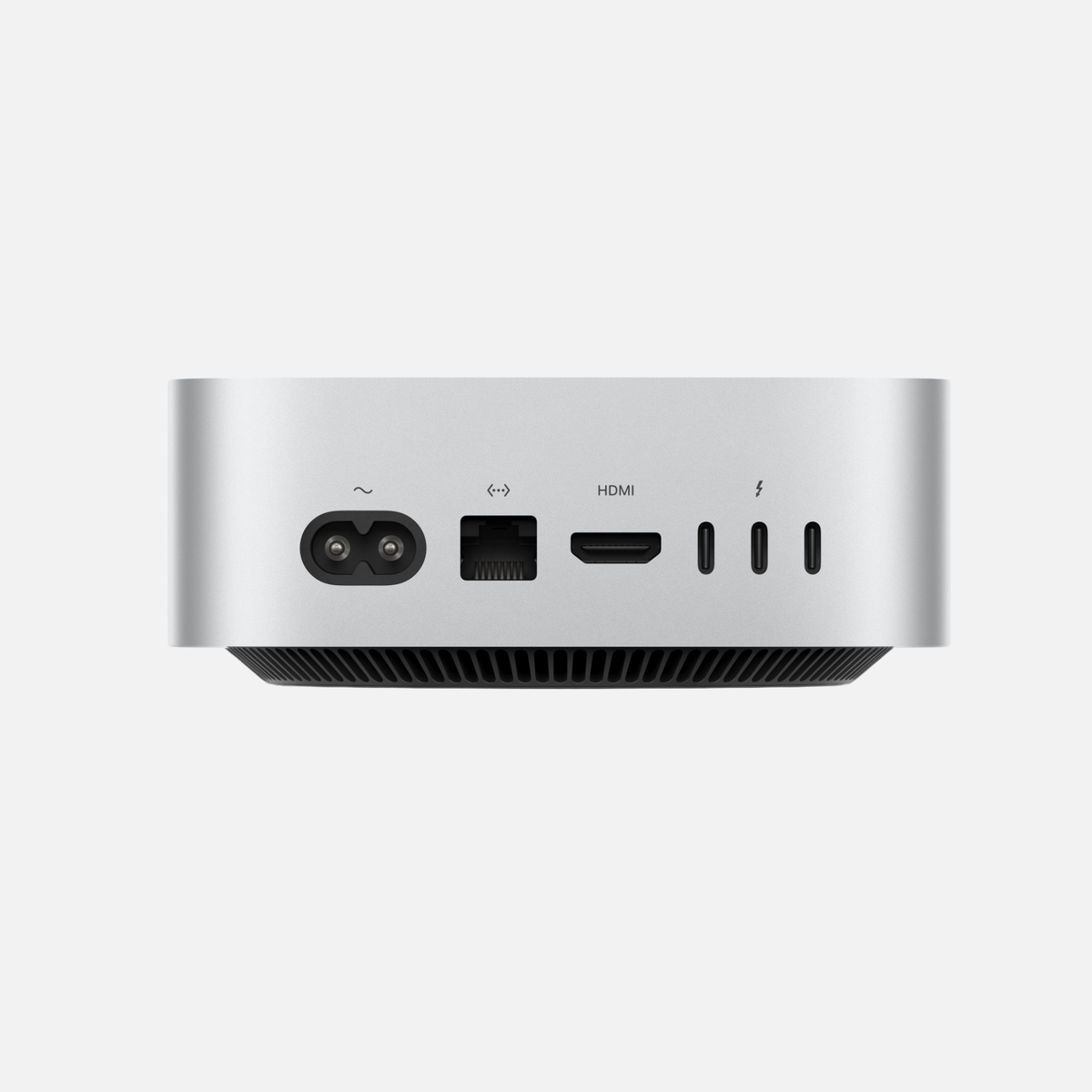
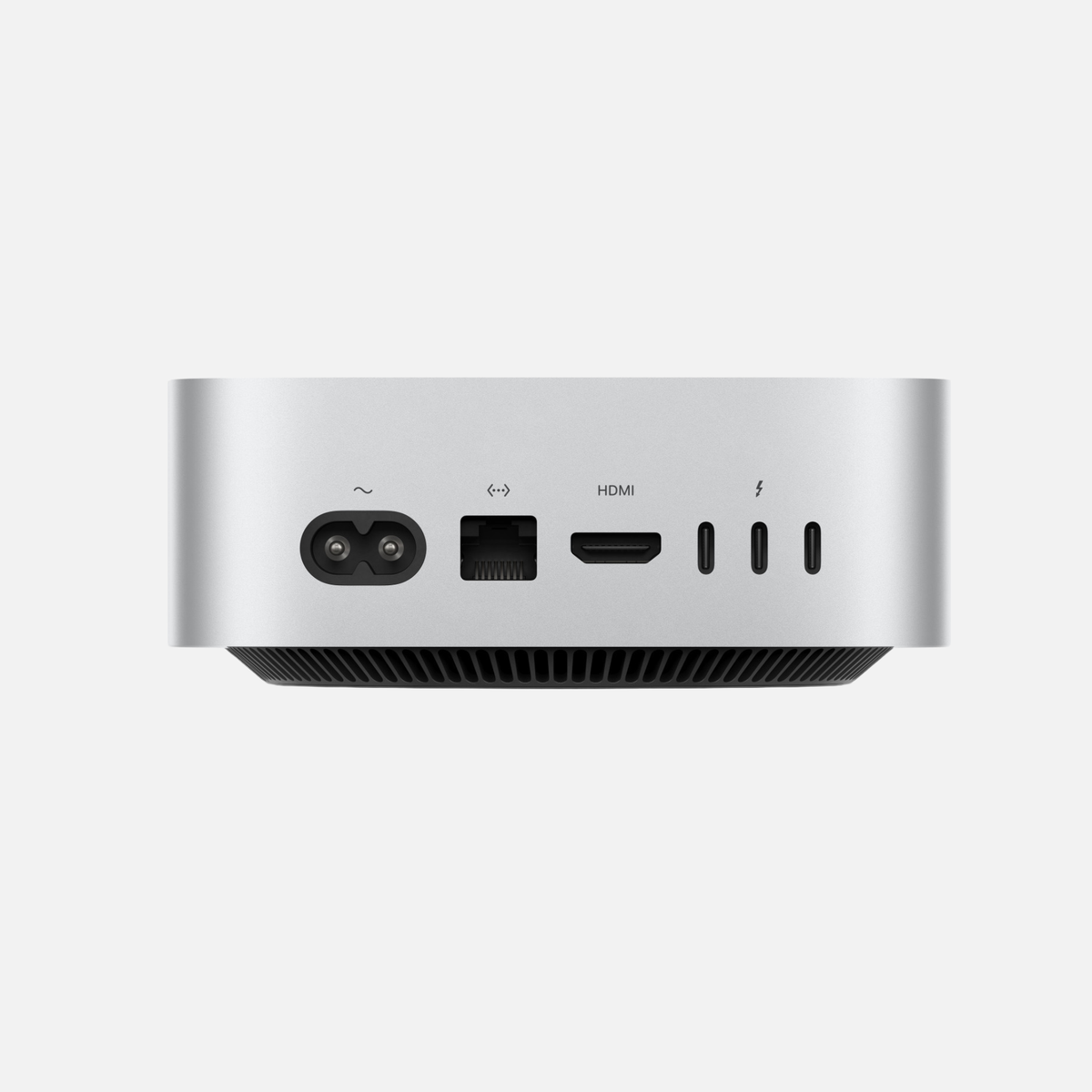
The Mac mini can be expanded with a Thunderbolt dock if needed. However, adding the cost of a high-quality dock and extra adapters to the purchase price reduces the price gap to the Mac Studio. Before buying, check which devices will remain connected.
| Requirement | Mac mini | Mac Studio |
|---|---|---|
| One to two displays and standard accessories | Generally sufficient | No problem, often overpowered |
| Many external drives and devices | A dock may be required | More ports directly on the device |
| Regular access to front ports | More limited depending on the model | More convenient for professional workstations |
| Several high-resolution displays | Support depends on the chip and generation | More display headroom depending on the chip |
Ports also depend on generation: the 2024 and 2026 Mac mini already have two front USB-C ports. The 2025 and 2026 Mac Studio add an SDXC slot and more connectivity; Max models have USB-C at the front, while Ultra models have Thunderbolt 5. Check your exact configuration and displays.
Noise, cooling and power consumption
Both devices are very quiet in everyday use. The Mac mini takes up less space and is extremely unobtrusive during typical use. The Mac Studio has a more powerful cooling system that can cool its stronger chips even during prolonged workloads.
Power consumption depends heavily on the chip, workload and connected devices. The Mac mini is usually more economical in normal everyday use. Under professional workloads, a Mac Studio consumes more power but may complete the task significantly faster. A fair assessment therefore considers not just instantaneous power draw, but also the working time required.
Which is quieter?
At idle and under light use, neither is particularly intrusive. Under prolonged high workloads, the Mac Studio’s larger cooling system can offer advantages. However, how audible a device becomes depends on its generation, ambient temperature and actual workload.
Which Mac suits which use case?
| Use case | Mac mini | Mac Studio | Our assessment |
|---|---|---|---|
| Office and working from home | Very good | Very good, but usually unnecessary | Mac mini |
| Software development | Very good | Very good | Mac mini for most developers; Studio for large builds and intensive simultaneous use |
| Photo editing | Very good | Very good | Mac mini is often sufficient |
| 4K video editing | Good to very good | Very good | Depends on codec, effects and project scope |
| 8K, multicam and demanding effects | Only with a suitable configuration | Very good | Mac Studio |
| Music production | Very good | Very good | Mac mini, except for very large projects and many plug-ins |
| 3D and rendering | For beginners and smaller projects | Significantly better for professional use | Mac Studio |
| Local AI | Good for smaller models | Very good for larger models | Memory configuration is decisive |
| Value for money | Very high | High if the performance is needed | Mac mini for the majority |
Mac mini or Mac Studio for office work?
For browsing, office applications, accounting and video calls, a Mac mini is usually the economical choice. 16 GB can be a starting point; 24 or 32 GB offers more headroom for many simultaneous applications. A Mac Studio often offers little extra practical benefit for these tasks.
Mac mini or Mac Studio for photographers?
For Lightroom, Capture One and Photoshop, a Mac mini with 24 or 32 GB is a sensible starting point. Large RAW batches, panoramas, AI denoising and simultaneous applications may require more memory or GPU performance. Compare a Mac mini Pro with a Mac Studio Max using your actual projects.
Mac mini or Mac Studio for video editing?
For 4K editing, codec, camera streams and effects matter more than resolution alone. 32 to 64 GB is a guide for more demanding projects. Daily multicamera exports, heavy noise reduction or 3D compositing can justify a Mac Studio. Also check your editor's hardware acceleration and sufficient fast storage.
Mac mini or Mac Studio for software development?
A Mac mini often handles web development and typical Xcode projects well. Containers, emulators and virtual machines increase memory demand; 32 or 64 GB can matter more than the product name. A Studio becomes useful when large builds or memory-intensive services regularly constrain your workflow.
Mac mini or Mac Studio for artificial intelligence?
For cloud-based AI services such as ChatGPT or Claude, a Mac mini is entirely sufficient because most of the actual processing takes place on external servers. Local language models, image generation and other AI workloads on your own device are a different matter.
Here, unified memory, GPU performance and memory bandwidth are particularly important. Smaller models also run on a well-equipped Mac mini. For larger models and professional use, the Mac Studio provides significantly more room to grow.
You can find detailed decision guidance in our guide Which Mac is suitable for AI?
For local AI, model weights, context or KV cache, and macOS must fit in memory together. Quantization, context length and software strongly affect requirements. A model name or parameter count alone cannot establish suitability. More memory enables larger projects but does not guarantee a particular response speed.
Is a used Mac mini or Mac Studio worthwhile?
A used or refurbished model can be economically attractive, especially with desktop Macs. The devices do not age through battery wear and often sit at a protected, fixed workstation. An older generation with more memory can make more sense for professional tasks than a new entry-level model with limited specifications.
A used Mac Studio is particularly interesting if you need plenty of performance and memory but want to avoid the price of a new current model. With the Mac mini, you can enter the world of Apple Silicon very affordably or find a more powerful configuration for the price of a new base model.
What to check when buying used
- Exact chip variant and number of CPU and GPU cores
- Amount of unified memory
- SSD capacity
- Supported displays and ports
- Cosmetic and technical condition
- Transparent description of the condition
- Warranty and statutory rights in the event of defects
- Secure packaging and shipping
Compare available configurations and pay particular attention to the chip, unified memory and SSD.
Mac mini or Mac Studio: How to make the right decision
Decision guide
Which desktop Mac suits you?
Answer just this one question: Which additional performance do you actually use regularly?
Mac mini is the better fit
- You want to buy as economically as possible.
- Office, development, photography or music are your main focus.
- You edit videos, but not under sustained high workloads every day.
- Very large RAM configurations are not required.
Mac Studio is the better fit
- GPU performance noticeably saves you working time every day.
- You work on large video, 3D or AI projects.
- You need plenty of unified memory or more ports.
- Your Mac regularly runs under high workloads for longer periods.
Rule of thumb: Choose the Mac Studio only if its extra performance is part of your regular workflow, rather than merely a reserve for rare exceptions.
Our clear recommendation
Choose the Mac mini if you want a fast, compact and economical desktop Mac. For Office, development, photo editing, music and many 4K video projects, it is often entirely sufficient.
Choose the Mac Studio if your work regularly benefits from more GPU performance, higher memory bandwidth, a very large amount of unified memory or better sustained performance. Paying extra is particularly justified if it saves you time every day or enables workflows that cannot run effectively on a Mac mini.
Deciding by budget
- Limited budget: a Mac mini with the most sensible RAM configuration possible.
- Mid-range budget: compare a Mac mini with a Pro chip against a used Mac Studio with a Max chip.
- High budget and professional use: configure a Mac Studio for your specific workflow.
Deciding by intended length of use
If you want to use the device for many years, allow enough memory and SSD headroom. However, future-proofing does not automatically mean buying the most expensive model. An overpowered Mac Studio will still be an unnecessarily expensive purchase in five years if its extra performance is never used.
Frequently asked questions about Mac mini versus Mac Studio
Is the Mac Studio always faster than the Mac mini?
No. A current Mac mini can be faster at individual tasks than an older Mac Studio. The specific chip generation, chip variant, memory and software used are decisive.
Is a Mac mini enough for professional work?
Yes. Many developers, photographers, musicians and self-employed professionals can work professionally on a Mac mini. The Mac Studio becomes worthwhile especially with very large projects, sustained high workloads, high GPU requirements or large memory configurations.
When is paying extra for a Mac Studio worthwhile?
The extra cost is worthwhile if higher performance regularly saves working time or if you need more unified memory, more ports or a stronger GPU. It is generally not worthwhile for Office and normal everyday tasks.
Which Mac is better for video editing?
For normal 4K projects, a Mac mini can be very well suited. For 8K, multicam, demanding effects, large projects and daily professional use, the Mac Studio is usually the better choice.
Which Mac is better for local AI?
For smaller models, a Mac mini with enough unified memory is sufficient. Larger local models benefit from the Mac Studio’s higher memory options and stronger GPU.
How much memory should I choose?
Smaller configurations are enough for simple tasks. For more demanding development, photography, video and local AI, 24 to 48 GB makes sense depending on the workflow. 64 GB or more becomes interesting mainly for large professional projects and larger local models.
Can RAM or the SSD be upgraded later?
Unified memory cannot be upgraded after purchase. Plan the internal SSD carefully too: replacement and servicing options vary by model and are not a normal PC-style upgrade. External USB or Thunderbolt SSDs can provide additional storage.
Is a used Mac Studio better than a new Mac mini?
It can be if you need more GPU performance, more memory or more ports. A new Mac mini, on the other hand, can be more efficient and economical if performance requirements are lower. Always compare the specific specifications.
Conclusion: The Mac mini is enough for most users – Professionals benefit from the Mac Studio
The Mac mini is the more sensible choice for the majority of users. It is compact, fast, quiet and offers excellent value for money. For office work, studying, development, photo editing, music and many video projects, it is powerful enough.
The Mac Studio shows its strengths when high performance is needed regularly rather than occasionally. Plenty of unified memory, stronger graphics performance, higher memory bandwidth, more ports and cooling designed for sustained workloads make it a compact workstation for professional users.
The right question is therefore not “Which Mac is faster?”, but: Which specifications save you time and money on your actual tasks?
Discover tested used and refurbished Mac mini and Mac Studio models in different configurations.
Note: Model variants and technical specifications differ by generation. Always check the specific product details of your selected device before buying.
More buying advice on memory, SSDs, photography and AI
Technical sources and context
Technical model limits: Apple. Workload recommendations are guidance, not benchmark results measured by us. Information checked on 25 October 2026.
Specific configurations from the shop
Configuration examples checked on 25 October 2026. See each product page for price, condition and current availability. For MacBook Pro, select RAM, SSD and keyboard layout.
Related detailed guides
Recommendations are editorial guidance, not our own performance measurements.
Technical sources: Apple · Activity Monitor · Apple · Mac mini (2024) · Apple · Mac Studio (2025) · Ollama · Context length






Share:
Which Mac is suitable for AI? The comprehensive 2026 buying guide
How much RAM does a Mac need?