

Updated: September 2026 · Reading time: approx. 17 minutes
Which Mac is best for video editing in 2026? Is a Mac mini enough for 4K, when is a MacBook Pro worthwhile, and who is better served by a Mac Studio with a Max or Ultra chip? In this buying guide, we compare the most important current Mac models and others that remain interesting for Final Cut Pro, DaVinci Resolve and Adobe Premiere Pro.
It is not just about raw processor performance. For video editing, Media Engines, GPU performance, unified memory, SSD storage, external drives, display size and mobility are also crucial. We show you which specifications make sense for YouTube, 4K, multicam, 8K, color grading and professional post-production.
Quick recommendation: which Mac for video editing?
- YouTube, social media, simple 4K projects: Mac mini M6
- Ambitious 4K editing and more demanding effects: Mac mini M5 Pro
- Professional mobile video editing: MacBook Pro M5 Pro
- Mobile high-end workflows, multicam and 8K: MacBook Pro M5 Max
- Professional desktop editing: Mac Studio M5 Max
- High-end 8K, VFX and extreme post-production: Mac Studio M5 Ultra
What really matters in a Mac for video editing?
Video editing is about more than the CPU. Modern Apple chips have dedicated Media Engines that can efficiently accelerate common video formats such as H.264, HEVC, ProRes and ProRes RAW. This is one reason even compact Macs can deliver surprisingly powerful video workflows.
Important for effects, exports, background processes and general responsiveness.
Relevant for color grading, effects, noise reduction, 3D and GPU-accelerated workflows.
Crucial for large projects, multiple streams, effects and AI features.
Accelerate typical video codecs and ProRes workflows.
Mac for video editing in 2026: models compared
| Mac | Recommendation | Ideal for | Assessment |
|---|---|---|---|
| Mac mini M6 | 16–32 GB RAM | YouTube, social media, simple 4K projects | a strong starting point |
| Mac mini M5 Pro | 24–64 GB RAM | 4K, larger timelines, effects, ProRes RAW | strong value for money |
| MacBook Pro M5 Pro | 24–48+ GB RAM | professional mobile editing | best mobile balance |
| MacBook Pro M5 Max | 48–128 GB RAM | 8K, multicam, effects, Resolve | mobile high-end solution |
| Mac Studio M5 Max | 36–128 GB RAM | professional desktop editing | desktop recommendation |
| Mac Studio M5 Ultra | very large RAM configurations | 8K, VFX, extreme post-production | high-end without compromise |
Mac mini for video editing: is the small Mac enough for 4K?
Yes. A modern Mac mini can deliver surprisingly strong video editing performance. Especially for YouTube, social media, product videos and regular 4K projects, a Mac Studio is not automatically necessary.
Mac mini M6: ideal for many 4K projects
The Mac mini M6 is sufficient for many creative projects. If you mainly use single 4K streams, simple color corrections, titles and regular effects, it is a very interesting starting point.
Mac mini M5 Pro: the sweet spot for ambitious editors
The Mac mini M5 Pro is considerably more interesting if you regularly edit larger projects. With more CPU/GPU performance and higher memory configurations, it suits larger timelines, more demanding effects and several applications running in parallel.
If you are deciding between a Mac mini and Mac Studio, our Mac mini or Mac Studio comparison can also help.
MacBook Pro for video editing: the best choice for mobile editing
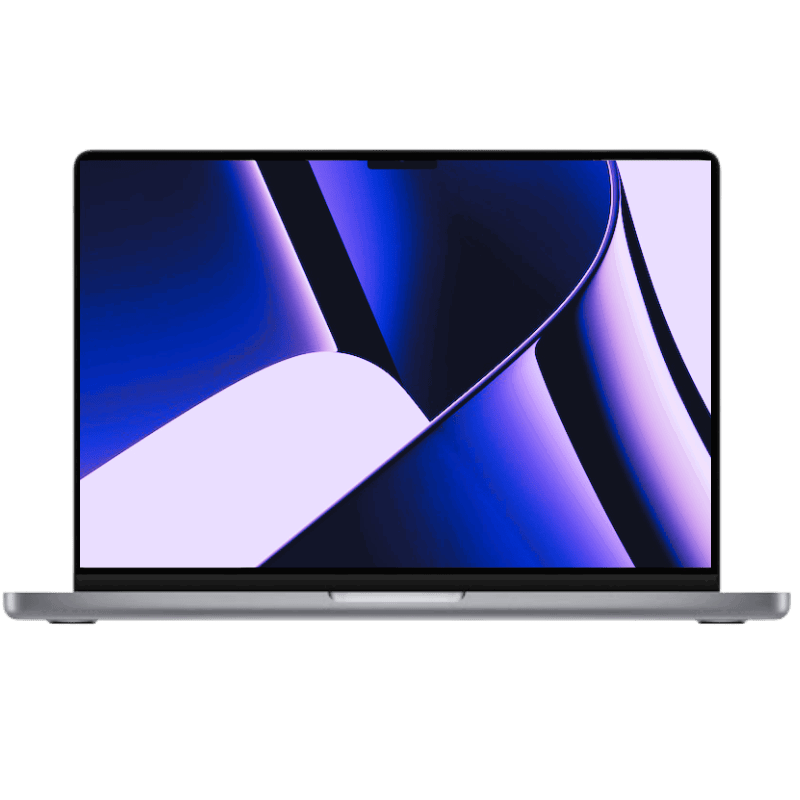
If you want to edit on the go, the MacBook Pro is the most natural choice. Its built-in Liquid Retina XDR display, high performance and ability to work directly in Final Cut Pro, DaVinci Resolve or Premiere Pro while travelling make it a mobile workstation.
MacBook Pro M5 Pro
For many professional editors, M5 Pro is the most balanced choice. It offers enough performance for demanding 4K projects, multicam editing and large timelines, without moving straight into the most expensive Max class.
MacBook Pro M5 Max
M5 Max becomes interesting when GPU performance, high memory bandwidth and large unified memory configurations are actually used. This particularly applies to complex color grading, noise reduction, 3D, VFX, large multicam projects and 8K.
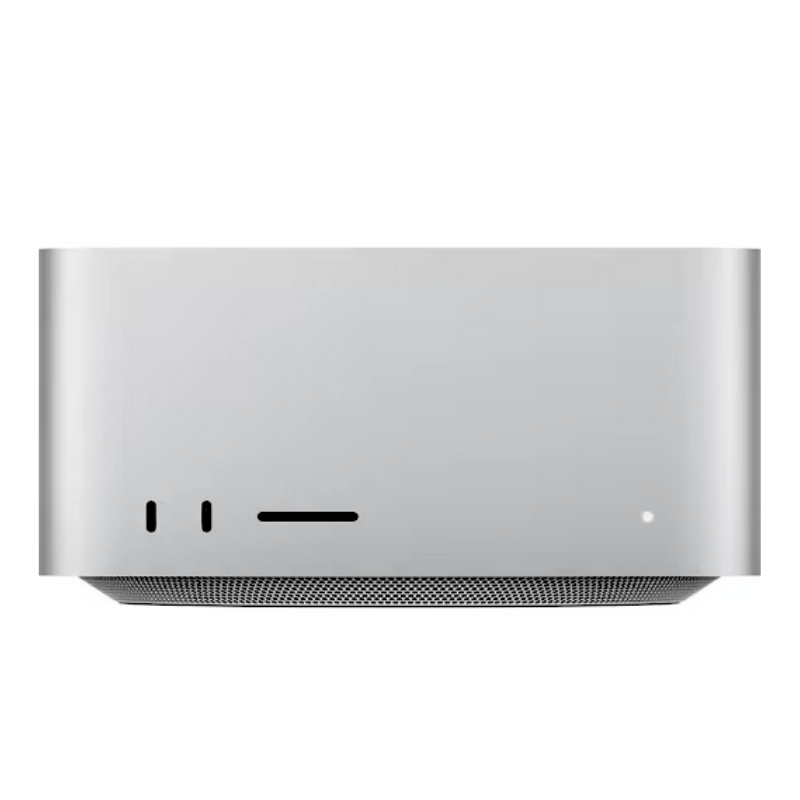
Mac Studio for video editing: M5 Max or M5 Ultra?
The Mac Studio is particularly interesting for professional post-production if mobility does not matter. The generation with M5 Max and M5 Ultra is aimed at very demanding professional workflows.
Mac Studio M5 Max: our recommendation for professional editors
The M5 Max is a very strong choice for Final Cut Pro, DaVinci Resolve, large 4K/8K projects, multicam and demanding effects.
Mac Studio M5 Ultra: for high-end 8K and VFX
The M5 Ultra is aimed at users with truly extreme workloads: large VFX, compositing and high-end post-production projects, multiple high-resolution streams and very large unified memory requirements.
For most video editors, the M5 Max is the more sensible choice. The M5 Ultra is only worthwhile if you actually use the additional performance to its full potential.
4K or 8K: how much Mac performance do you need?
1080p and social media
For Full HD, Shorts, Reels and simple social media projects, practically any current Apple Silicon Mac is sufficient. Here, you should focus more on enough SSD storage and RAM than on the most powerful chip.
4K video editing
For regular 4K projects, Mac mini M6, Mac mini M5 Pro or MacBook Pro M5 Pro are more than capable. More performance becomes interesting when multiple streams, demanding effects, noise reduction or complex color grading are added.
8K, multicam and VFX
For 8K, multiple high-resolution streams, demanding compositing or large Resolve projects, the Max or Ultra class is worthwhile. MacBook Pro M5 Max and Mac Studio M5 Max are very strong here, while M5 Ultra is intended for the most extreme workflows.
How much RAM does a Mac need for video editing?
| Unified Memory | Recommendation |
|---|---|
| 16 GB | Beginners, social media, simple 4K projects |
| 24–32 GB | comfortable 4K editing, larger projects |
| 36–64 GB | professional 4K/8K editing, Resolve, multicam, effects |
| 96–128 GB | high-end post-production, large VFX and AI workflows |
| More than 128 GB | Specialist workflows on Mac Studio Ultra |
You can find more information in our detailed guide How much RAM does a Mac need?.
How much SSD storage does a Mac need for video editing?
Video files quickly require a lot of storage. 512 GB is possible for smaller projects, but for professional video editing, 1 TB is a much more comfortable starting point. 2 TB or more is worthwhile if large media files are frequently stored directly on the internal drive.
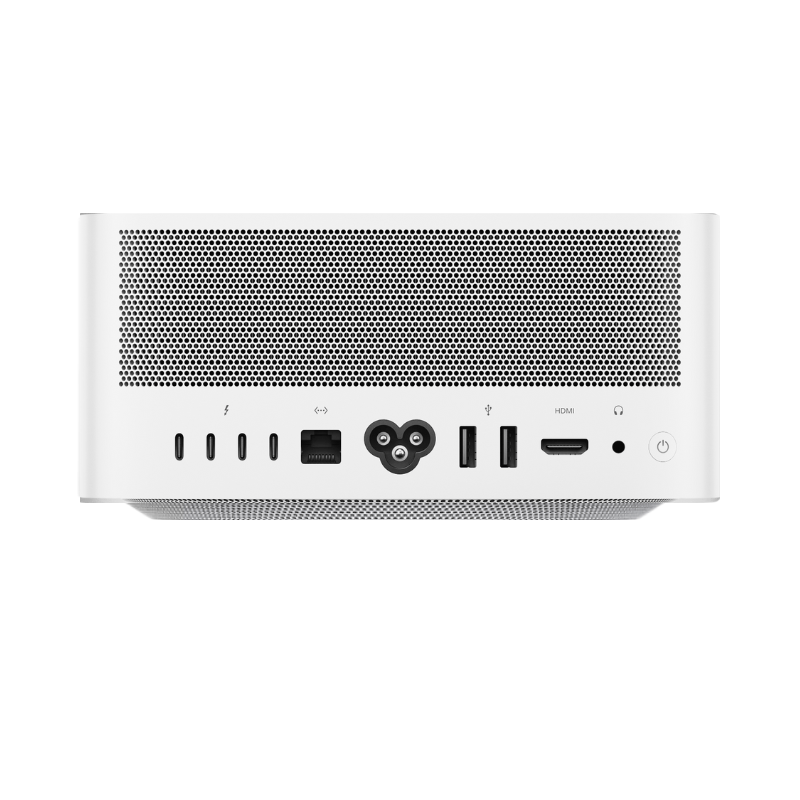
However, you do not have to store everything internally. Mac mini and Mac Studio in particular are excellent for fast external USB4 or Thunderbolt SSDs. External SSDs for media, cache files and archives can also make sense with a MacBook Pro.
For large external storage solutions, see our guide Expand Mac storage: 4 TB & 8 TB SSD.
Final Cut Pro, DaVinci Resolve or Premiere Pro: does the software make a difference?
Final Cut Pro
Final Cut Pro is closely optimized for Apple hardware and macOS. ProRes workflows particularly benefit from Apple's Media Engines. For many users, even a Mac mini or MacBook Pro is therefore extremely fast.
DaVinci Resolve
DaVinci Resolve can make extensive use of GPU performance. Color grading, noise reduction, Fusion and complex effects therefore benefit more from Max and Ultra chips and plenty of unified memory.
Adobe Premiere Pro
Premiere Pro runs very well on Apple Silicon, but can also benefit from more memory and GPU performance depending on the codec, effect and additional Adobe software.
Does video editing really require the latest Mac generation?
No. Especially for video editing, a refurbished Mac with a Max or Ultra chip can be extremely interesting. A MacBook Pro M3 Max or M4 Max, or a Mac Studio M1 Max, M1 Ultra, M2 Max, M2 Ultra, M3 Ultra or M4 Max, still offers very high performance.
This can be more economically attractive than a brand-new base model. Especially in professional video editing, RAM, GPU configuration and SSD capacity are often more important than a single generation upgrade.
Our Mac recommendations for video editing in 2026
Mac mini M6 with 16–32 GB RAM.
Mac mini M5 Pro with 24–64 GB RAM.
MacBook Pro M5 Pro.
MacBook Pro M5 Max.
Mac Studio M5 Max.
Mac Studio M5 Ultra.
Conclusion: which Mac is best for video editing?
Most users do not need the most expensive Mac. A Mac mini M6 is already enough for many 4K projects. The Mac mini M5 Pro is a particularly interesting desktop for ambitious editors. For mobile use, the MacBook Pro M5 Pro offers the best balance of performance and portability.
If you regularly edit large 8K projects, multicam, complex color grading or VFX, M5 Max and M5 Ultra become interesting. For professional desktop workflows, Mac Studio M5 Max is our recommendation, while M5 Ultra targets extreme high-end projects.
And older Max and Ultra Macs remain very interesting in 2026 too. Especially when refurbished, a better-equipped previous generation can offer better value for money.
Frequently asked questions about Macs for video editing
Is a Mac mini enough for 4K video editing?
Yes. A Mac mini is already very well suited to many regular 4K projects. For larger multicam projects, demanding effects or 8K, a Pro, Max or Ultra chip becomes more interesting.
MacBook Pro or Mac Studio for video editing?
The MacBook Pro is ideal if you want to work on the go. As a desktop computer, the Mac Studio offers more options for very high GPU performance, large memory configurations and consistently demanding workflows.
How much RAM does Final Cut Pro need?
16 GB may be enough for simple projects. For regular professional 4K editing, 24 to 32 GB is more comfortable. Large multicam, 8K, VFX and AI workflows benefit from 48, 64 GB or more.
Which Mac is best for DaVinci Resolve?
DaVinci Resolve benefits greatly from GPU performance. For demanding Resolve projects, MacBook Pro M5 Max and Mac Studio M5 Max are particularly interesting; for extreme high-end workflows, Mac Studio M5 Ultra is an option.
Is a refurbished Mac worthwhile for video editing?
Yes. Older Max and Ultra models in particular can be very attractive for video if they offer plenty of unified memory, a strong GPU and enough SSD storage.




Share:
Mac mini M6 vs. M5 Pro: which Mac mini is worth buying in 2026?
Mac mini as a server: NAS, Time Machine & media server