
Which monitor is suitable for Mac and iPad?
An external display for MacBook Pro, Mac mini, Mac Studio or iPad Pro/Air provides more productivity, better color accuracy and a more ergonomic working experience. But which monitor is best for macOS and iPadOS?
In this guide you’ll find the best monitors for Mac mini, MacBook Pro, Mac Studio and iPad, including 4K, 5K, Thunderbolt, USB‑C and pro displays – ideal for office, home office, studying, graphic design, photo editing or video.
1. Apple Studio Display – The premium display for MacBook Pro, Mac mini and Mac Studio as well as iPad
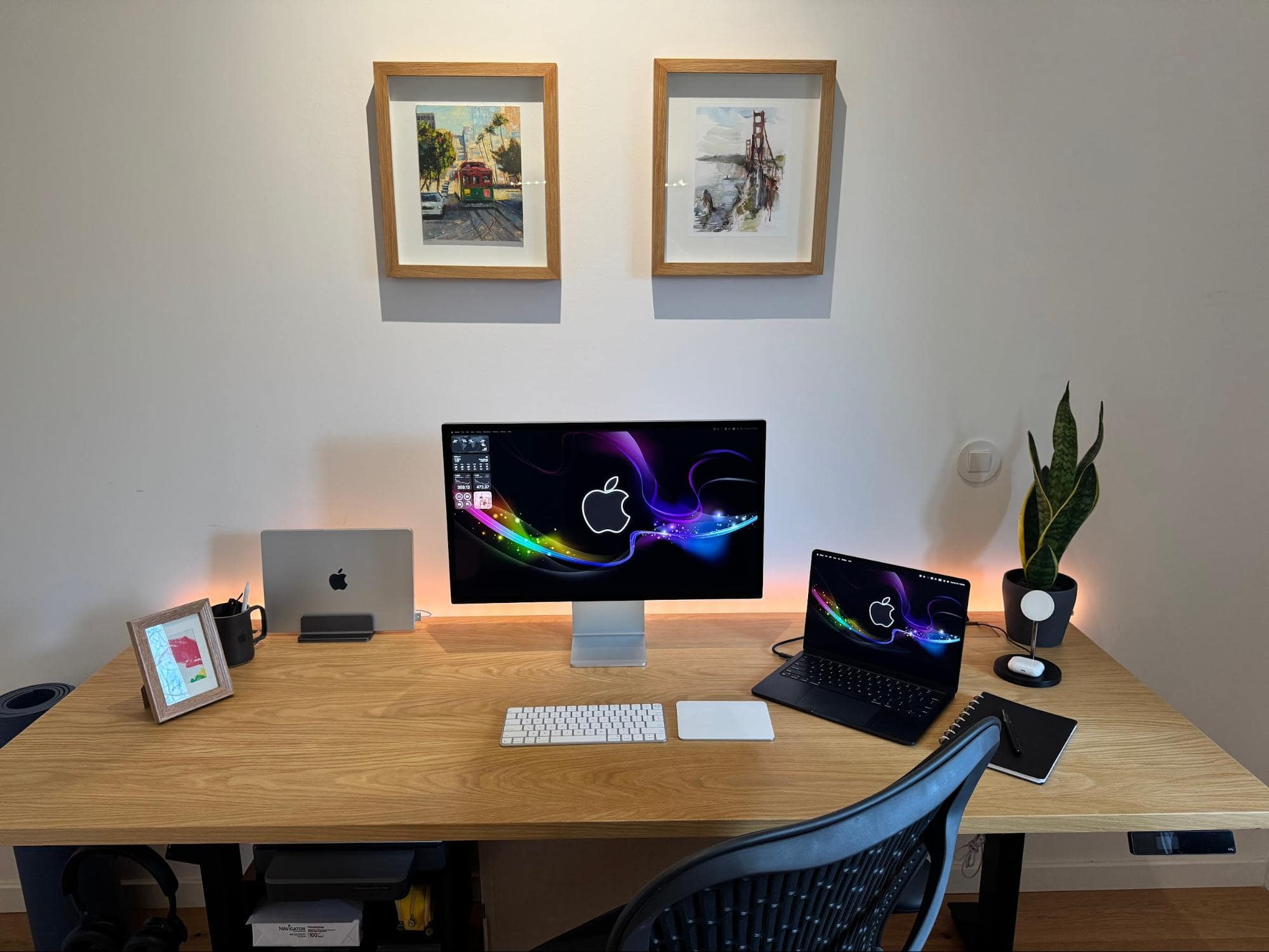
Why perfect for Mac & iPad?
The Apple Studio Display was developed specifically for macOS and offers seamless integration with MacBooks, Mac Studio and even iPad Pro (with M‑chip).
Highlights:
-
27‑inch Retina display
-
5K resolution (5120 × 2880)
-
600 nits brightness
-
P3 color space
-
Thunderbolt 3 + 3x USB-C
-
Built‑in 12 MP ultra‑wide camera
-
6 speakers with 3D audio
Ideal for:
-
Creatives (photo, video, design)
-
Apple purists
-
Users with Mac Studio or MacBook Pro
Amazon link:
https://www.amazon.de/dp/B09V3HN3G7
2. LG UltraFine 5K – The best 5K alternative

The LG UltraFine 5K is one of the few true 5K alternatives to the Apple Studio Display.
Advantages:
-
27-inch, 5120 × 2880
-
Thunderbolt 3
-
500 nits
-
99% DCI-P3
-
Optimized specifically for Mac
Ideal for:
-
MacBook Pro users
-
Designers & photographers
-
For those who want 5K, but cheaper than Apple
Amazon link:
https://www.amazon.de/dp/B07XV9NQSJ
3. Dell UltraSharp U2720Q – The best 4K

If you’re looking for a more affordable 4K monitor for Mac or iPad, the Dell UltraSharp is a top choice.
Highlights:
-
27‑inch 4K (3840 × 2160)
-
USB‑C with 90 W Power Delivery
-
Very good color reproduction
-
Height-adjustable
-
Slim design
Ideal for:
-
Home office
-
Office & studying
-
iPad Pro with USB‑C
Amazon link:
https://amzn.to/4l1Z0th
4. Samsung Odyssey Neo G7 – For gaming & creatives
Yes, gaming monitors also work great with a Mac – especially with M‑chips.
Features:
-
43-inch 4K
-
Mini-LED
-
144 Hz
-
HDMI 2.1
-
Extremely high brightness
Ideal for:
-
Gaming on Mac
-
Video editing
-
Multitasking
Amazon link:
https://www.amazon.de/dp/B0B8QYJZ8M
5. BenQ PD2725U – Perfect for creatives

BenQ is known for professional displays – especially for designers.
Highlights:
-
27‑inch 4K
-
Thunderbolt 3
-
95% DCI-P3
-
KVM switch
-
Very good factory calibration
Ideal for:
-
Graphic design
-
Video editing
-
Web design
Amazon link:
https://www.amazon.de/dp/B09JZ6JXW7
What resolution is ideal for Mac?
| Size | Recommended resolution |
|---|---|
| 24–27 inches | 4K or 5K |
| 32-inch | 4K |
| 34–40 inches | 5K2K or 4K ultrawide |
Why 5K is better:
macOS scales best at 5K on 27 inches – similar to an iMac.
Thunderbolt or USB‑C?
For Mac & iPad I recommend:
-
Thunderbolt (best choice)
-
USB‑C with 65–100W Power Delivery
-
Pure HDMI is only of limited use
Conclusion: The best monitor for Mac & iPad
-
Best overall choice: Apple Studio Display
-
Best value for money: Dell UltraSharp U2720Q
-
For creatives: BenQ PD2725U
-
For gaming: Samsung Odyssey Neo G7
Affiliate notice
The product links in this post are so-called affiliate links. If you make a purchase through these links, I receive a small commission. There is no extra cost to you. no additional costs. Thank you very much for your support.


Share:
Used and refurbished Apple products for pros and tech enthusiasts – at mac-store24.com
Die besten TVs fürs Gaming 2026 - PS5, Switch, Xbox, Pc